01
From product selection to order confirmation.
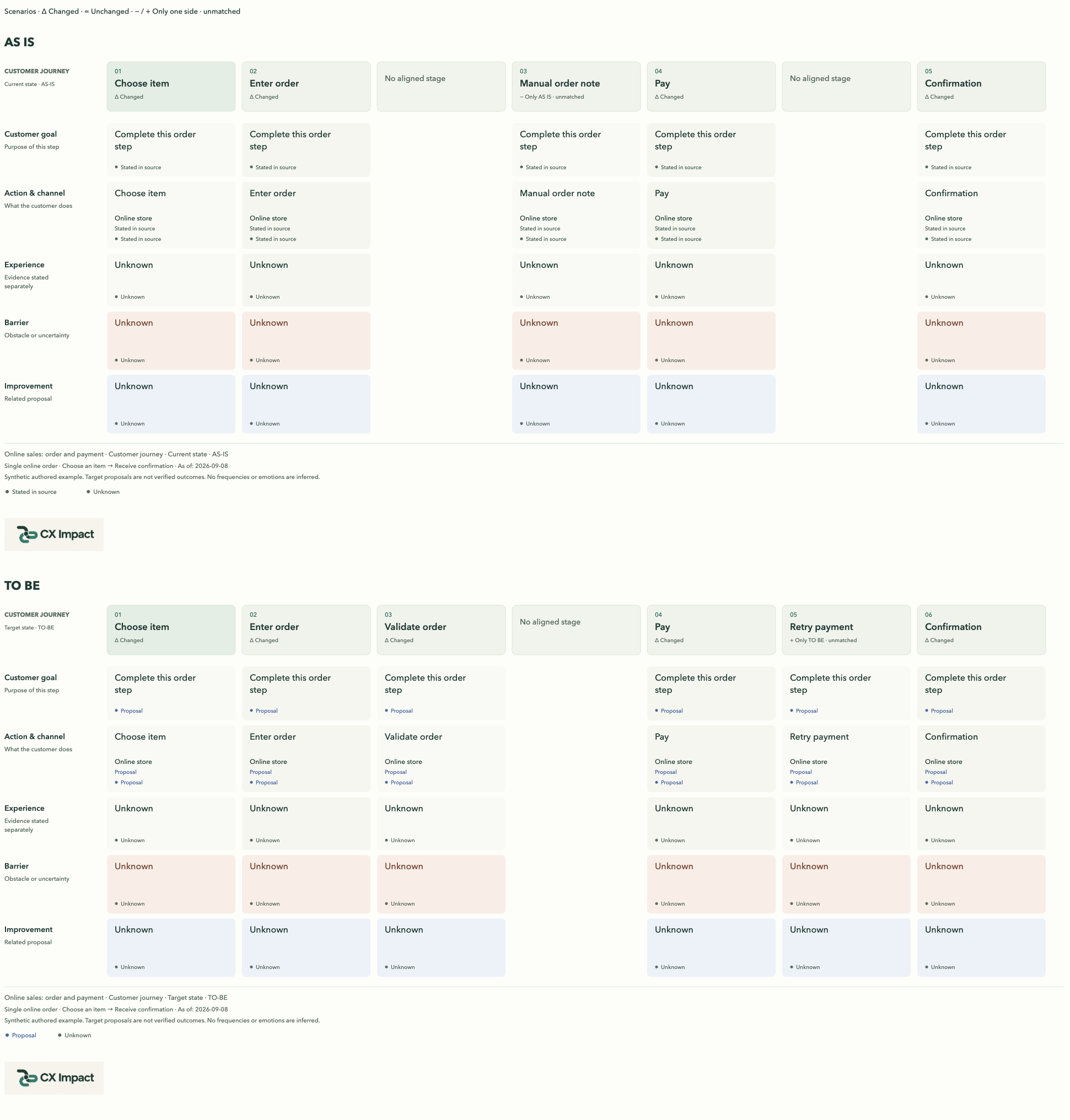
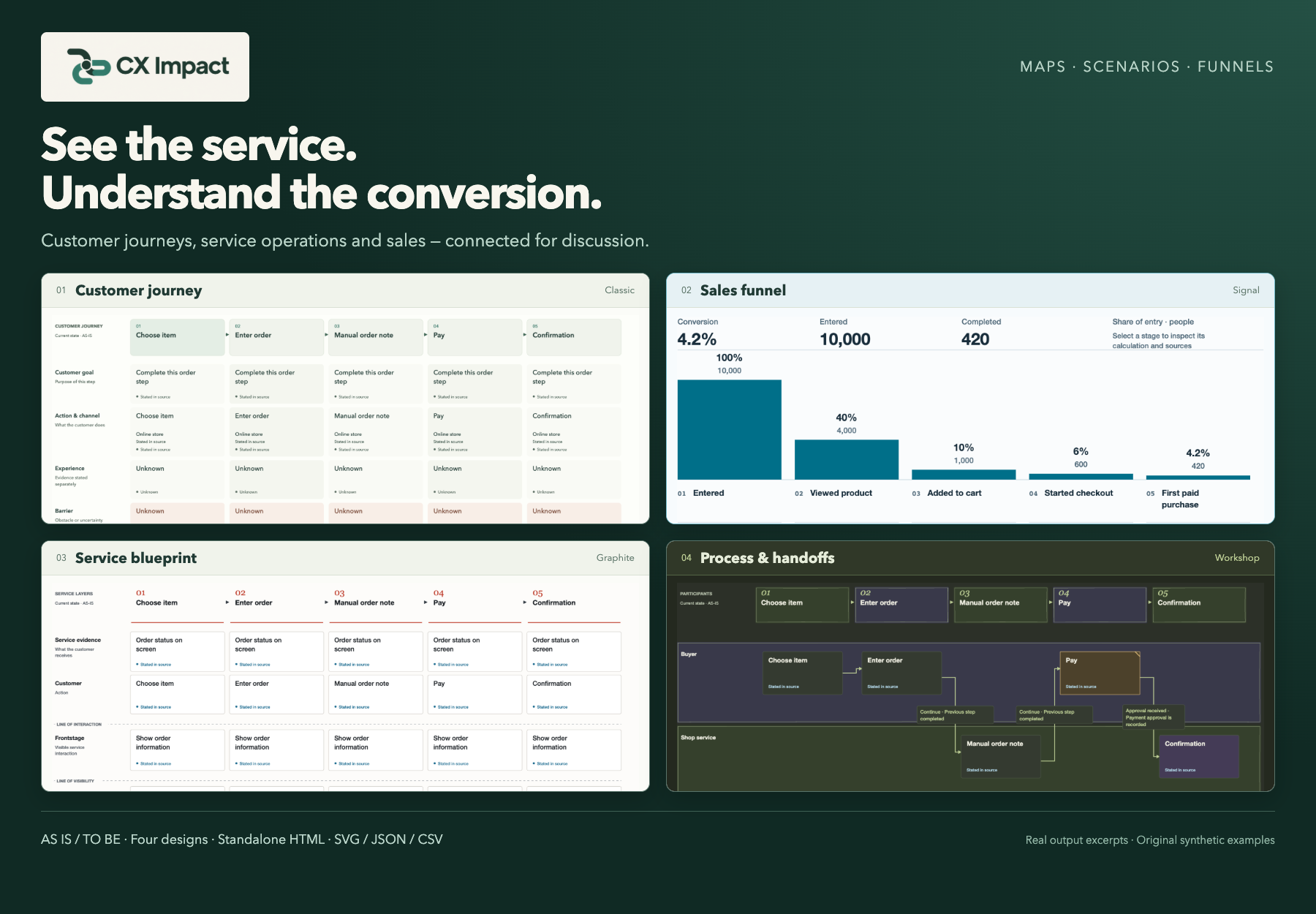
The journey map, service blueprint and process view describe the same task from different perspectives. AS IS / TO BE comparison helps your team review proposed changes.
CX Impact · Open-source tool for AI agents
Give your AI agent your documents, process descriptions and numbers. CX Impact helps turn them into visual maps, compare current and target scenarios, and prepare a shared reference for your team.
For product managers, analysts, designers and service teams.
Open source · For AI agents · Standalone HTML
Requirements, observations, hypotheses and open questions remain distinct. The map helps your team agree on the next step and identify information that is still missing.
The journey map, service blueprint and process view describe the same task from different perspectives. AS IS / TO BE comparison helps your team review proposed changes.
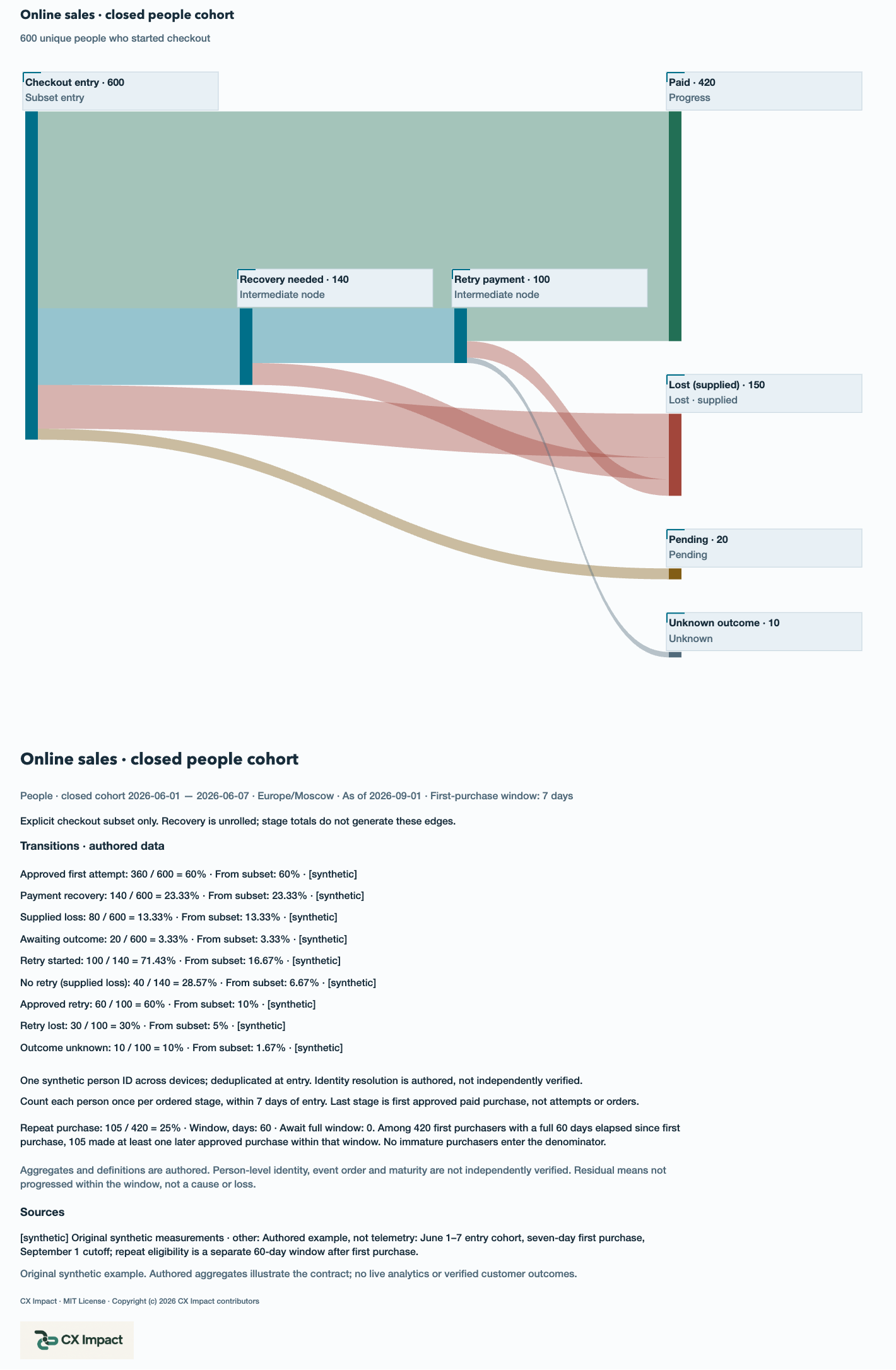
Stages from entry to a paid purchase, conversion between adjacent steps, recovery flows and a separate repeat-purchase calculation.
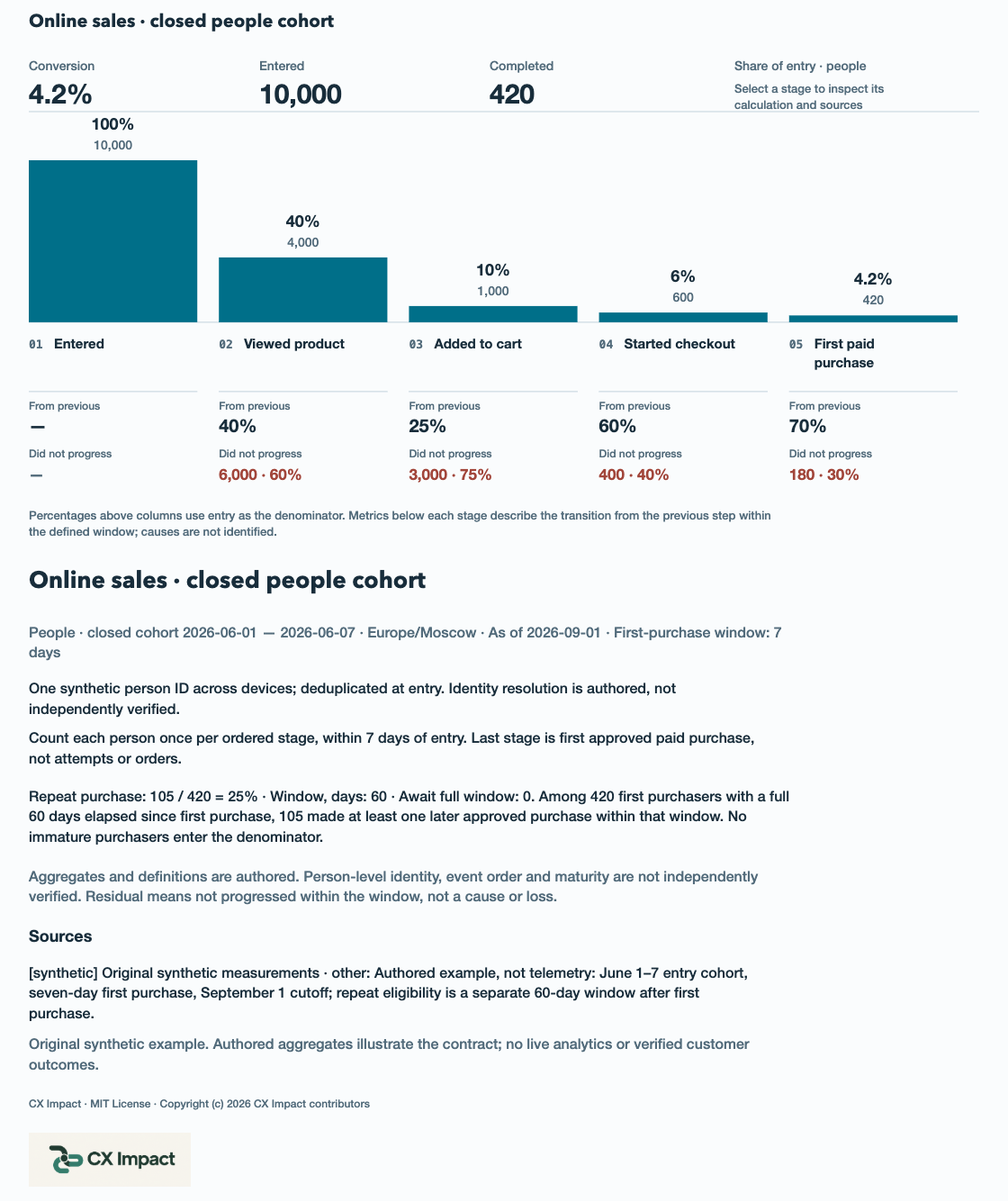
These are teaching examples, not company results or a promise of higher conversion.
Download the example bundle, extract it and open index.html in your browser. It contains maps and funnels in English and Russian. Viewing the examples does not require an AI agent.
Example bundle · 0.6.1
npx skills@latest add shelasmax/cx-impact --skill cx-impact
Download the CX Impact package · ZIP, extract it and copy the entire cx-impact/ directory, including SKILL.md, assets and renderer, to one of these locations in your project:
.agents/skills/cx-impact/.claude/skills/cx-impact/.agents/skills/cx-impact/ or .dsh/skills/cx-impact/Back up any existing installation before replacing it, then start a fresh agent session after copying. Manual installation does not require Skills CLI; the renderer only needs Node.js 18+.
The installer lets you select an agent. Your agent needs file and shell access to create and rebuild maps.
$cx-impact
/cx-impact
cx-impact
cx-impact
Other agents need file-based skill support and tools to run the renderer. Compatibility should be checked in the specific environment.
$cx-impact
Use the attached materials to map the current customer journey and
service operations for placing an order. Preserve sources and distinguish
hypotheses and unknowns. Produce HTML for discussion and JSON for updates.
You receive interactive HTML, editable JSON and a source snapshot for rebuilding. The viewer exports SVG; funnels also export a CSV table. Four designs and light or dark themes offer different presentation styles.
The HTML opens without a server or a CX Impact account. Creating a map with an agent uses your chosen model provider.

Maksim Shelukhanov is a business and transformation executive. My work connects e-commerce, omnichannel sales, customer experience, digital products and data.
You can use CX Impact independently. If you would like to work through a customer journey, process or points of drop-off together, we can discuss your challenge and the right engagement format.
It is a portable skill: a set of instructions and tools for an AI agent. Installation is documented for Codex, Claude Code, OpenCode and DeepSeek Harness. The resulting HTML opens separately in a browser.
The project code is available under the MIT license. Your chosen AI agent and model usage depend on your plan. Consulting is a separate service.
Yes. Descriptions and documents work for customer journey and process maps. A quantitative funnel requires your data and metric definitions; missing values remain unknown.
Map creation happens in your agent environment using the selected model provider. The generated HTML makes no network requests of its own. Follow your organization's rules when sharing materials with the agent.
It presents the information you supply and the resulting calculations. Causes need to be checked against data and research; hypotheses and proposals do not automatically become facts.
Yes. Give the agent your previous JSON and new information, then save a separate updated bundle. The viewer does not include a visual editor.
Start with an example, then give your agent your materials.